






















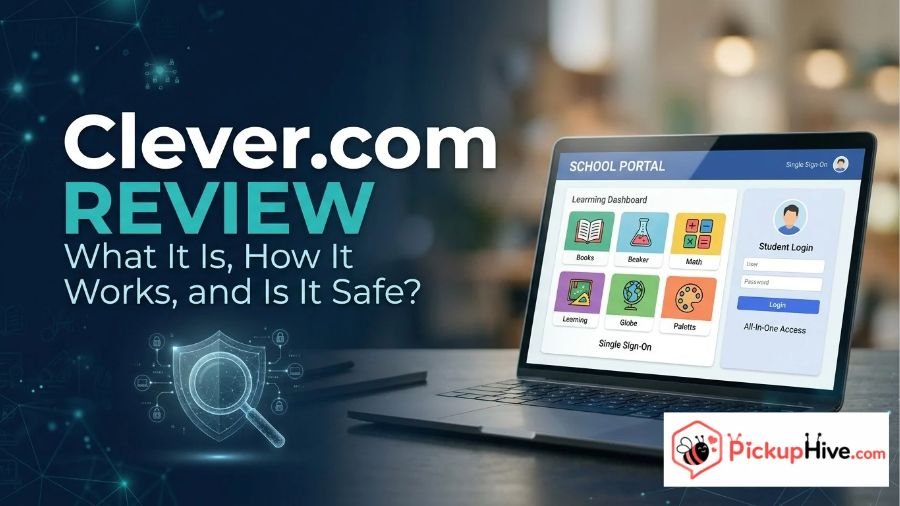
Clever.com is an education technology platform that helps schools, teachers, and students access digital learning applications through a centralized login system.
Instead of remembering separate usernames and passwords for different educational tools, students can use the Clever Portal to reach applications approved by their school.
The platform also provides services for managing student accounts, organizing classroom applications, and connecting school information systems with educational software.
But what exactly does Clever offer, how does its login system work, and is the website legitimate? This review examines Clever.com’s main features, pricing structure, student data privacy practices, advantages, and limitations.
It also explains who can use the platform and what students and parents should understand before signing in.
What Is Clever.com?
Clever.com is the official website of Clever, an education technology company that provides identity management, application integration, and single sign-on services for K-12 schools.
Its primary purpose is to simplify how students and teachers access educational software. Many schools use different digital applications for reading, mathematics, classroom assignments, communication, and other learning activities. Managing separate accounts for every application can become difficult, particularly for younger students.
Clever addresses this problem by bringing compatible educational applications together through a centralized portal.
For example, a student may use several school-approved learning applications throughout the day. Rather than remembering separate login information for each one, the student can sign in through Clever and select the available applications from the portal.
The company also provides tools that help school districts manage student and teacher accounts, synchronize class rosters, and control which applications receive educational information.
According to its official About Us page, more than 111,000 schools use Clever, including 95 of the 100 largest school districts. The company also reports that approximately 60% of US students log in with Clever monthly. These are company-reported figures rather than independently audited measurements.
Official website: https://www.clever.com/
How Does Clever.com Work?
Clever works as a connection point between schools, students, teachers, and educational software providers.
Its functionality depends on how a school district has configured the platform and which applications it has approved.
Here is a general explanation of how the process works.
1. A School Sets Up Clever
A school district or educational organization first establishes its Clever account and configures the platform.
The school connects its student information system (SIS) with Clever so that relevant information, such as student enrollment, teacher accounts, and classroom assignments, can be synchronized with supported applications.
2. Students and Teachers Sign In
Students and teachers access Clever through their school’s designated login method.
Depending on the school’s configuration, available options may include school-provided credentials, Google sign-in, or Clever Badges.
Students should use the login instructions provided by their school rather than creating an unrelated account.
3. Users Open the Clever Portal
After signing in, users can access their personalized Clever Portal.
The portal displays educational applications and resources made available to them by their school.
Available applications may differ between students, teachers, grade levels, and school districts.
4. Users Launch Educational Applications
When a student selects a compatible application, Clever helps authenticate the user and provides access through its single sign-on system.
This reduces the need to enter separate login credentials for every connected educational tool.
The exact experience depends on the application and the integration established by the school.
Main Features of Clever.com
Clever offers several products and services designed for educational organizations. Its features cover application access, student information synchronization, and account security.
Single Sign-On (SSO)
Single sign-on is one of Clever’s central features.
It allows students and teachers to access multiple connected educational applications using one authentication process.
This can make classroom technology easier to manage, particularly for younger students who may struggle to remember multiple passwords.
It also reduces repeated login steps when moving between school-approved applications.
Clever Portal
The Clever Portal provides a centralized location for accessing educational resources.
Students can find the applications assigned to them, while teachers can access the resources available through their school accounts.
Schools can also customize the portal with relevant resources, such as school websites and calendars.
The applications displayed depend on district settings and user permissions.
Secure Sync Rostering
Clever’s Secure Sync Rostering feature helps schools synchronize classroom and enrollment information with connected educational applications.
For example, when student enrollment or classroom assignments change, updated information can be transferred to supported applications.
This can reduce the administrative work involved in manually creating and updating accounts across multiple platforms.
Clever Badges
Clever Badges provide another way for students to access their accounts.
Instead of entering a username and password, eligible students can use a school-issued badge containing a scannable code.
This approach can be particularly helpful for younger children who are still developing their typing and password-management skills.
Availability depends on the school’s setup and supported devices.
Clever Analytics
Clever also provides analytics tools that help school administrators understand application access and usage.
These tools can give educational organizations greater visibility into how their digital learning resources are being used.
The information may help administrators review technology adoption and make decisions about their educational software.
Identity Management and Classroom Security
Clever offers additional identity and access management products.
Its Clever Identity Management solution supports automated account provisioning and management for systems such as Google, Active Directory, and Microsoft Entra ID.
Classroom MFA provides an additional authentication layer designed for educational environments.
These products are particularly relevant to school technology teams responsible for managing accounts and protecting access to digital resources.
Who Can Use Clever.com?
Clever serves several groups within the education system.
Students: Students can use the platform to access learning applications provided by their school. They generally sign in using school-issued credentials or another method configured by their district.
Teachers: Teachers can access classroom applications, educational resources, and relevant teaching tools through their Clever accounts.
Parents and Guardians: Parents may have access to certain Clever services and school-related resources, depending on the available features and their school’s arrangements.
School Administrators: District administrators can manage integrations, oversee application access, and control how student information is shared with authorized software providers.
Educational Software Developers: Application partners can integrate their products with Clever to support school account synchronization and single sign-on.
Clever is therefore not simply a website for students looking for free educational games. It is a broader technology platform that supports the digital infrastructure used by schools.
Is Clever.com Free to Use?
Clever offers its core school access and digital classroom services at no cost to qualifying school organizations.
According to its official pricing information, the standard offering includes features such as:
- Secure Sync Rostering
- Single Sign-On
- Clever Badges
- Clever Portal
- Digital Classroom
- Substitute Access
- Clever Analytics
- Security features and support
However, Clever also offers additional paid products and services.
Examples include:
- Clever Identity Management (IDM)
- Classroom Multi-Factor Authentication
- Premium support
- Technical consulting
- Live training
The availability and cost of these additional services depend on the school’s requirements and the selected offering.
Clever explains that its business model allows schools to access its core platform without charge because educational application partners pay for integration and related services.
For students and teachers, this means that using Clever through an existing school account generally does not require purchasing a personal subscription to the Clever Portal.
For current details, visit the official pricing page:
https://www.clever.com/pricing
How to Log In to Clever.com
Students and teachers can access Clever through the official website or their school’s designated Clever Portal address.
Follow these general steps:
- Open https://www.clever.com/.
- Select the appropriate login option for your role.
- Choose the student or teacher login option.
- Find your school if prompted.
- Select the login method provided by your school.
- Enter your school credentials or use another supported authentication method.
- Once signed in, open the educational application you need from your portal.
The available login options depend on the school’s configuration.
What If You Cannot Log In?
If Clever does not accept your login information, try these steps:
- Check that you selected the correct school.
- Confirm that you are using your current school credentials.
- Check whether your school requires Google or another authentication method.
- Make sure your account has not been disabled.
- Contact your teacher or school technology administrator if the issue continues.
Students should avoid using unofficial login pages or entering school credentials into websites they do not recognize.
Clever’s official Help Center also provides guidance for common student and teacher login problems:
Is Clever.com Legitimate?
Yes. Clever.com is the official website of an established education technology platform with a documented history of working with schools and educational software providers.
Several verifiable details support its business identity.
First, Clever maintains an official website with dedicated sections for schools, application partners, company information, products, and customer support.
Second, the company publishes its terms of use, privacy policy, and information about its approach to student data protection.
Third, its ownership history is publicly documented. Kahoot! announced the acquisition of Clever in May 2021 and confirmed that the acquisition was completed on September 2, 2021. Kahoot! stated that Clever would continue operating under its own brand as part of the Kahoot! Group.
Clever’s current About Us page also provides information about its leadership team and its relationship with Kahoot!.
These details provide meaningful evidence that Clever.com represents a real education technology business rather than an unidentified website presenting itself as a school login service.
However, users should still distinguish the legitimacy of Clever itself from the reliability of every third-party educational application connected to the platform.
Is Clever.com Safe for Students?
Clever is designed for educational environments where students and teachers need access to digital applications.
Its privacy and security approach is especially relevant because school platforms may handle sensitive information about children.
Clever publishes a dedicated trust and privacy section explaining how it handles student information.
According to its published privacy information:
- Student information is used to provide services to participating schools.
- Schools control which data is shared with authorized applications.
- Clever states that it does not sell or monetize student data.
- Clever does not display advertising to students on its platform.
- The company provides controls for limiting information shared with connected applications.
- Clever describes security measures designed to help prevent unauthorized data transfers.
The company also identifies its participation in the Student Data Privacy Pledge and the Student Data Privacy Consortium. It reports receiving the Common Sense Privacy Program’s highest rating, described as “Use Responsibly.”
These are relevant indicators of its stated privacy commitments and external privacy assessments.
However, a platform’s privacy protections do not automatically guarantee that every connected educational application has identical practices.
What Should Parents and Students Understand?
Parents should understand that using Clever may involve processing student information to provide access to school-approved educational applications.
The school district generally determines which applications are authorized and what information can be shared with them.
Before using an unfamiliar application, parents can ask their school:
- What student information does the application receive?
- Is the application approved by the school district?
- What data does it collect independently?
- Does it have its own privacy policy?
- How can parents request information about student data practices?
For additional details, review Clever’s official privacy information:
https://www.clever.com/trust/privacy
Clever.com Privacy Policy and Terms of Use
Clever publishes separate legal and privacy documents explaining how users and educational organizations interact with the platform.
Its Privacy Policy describes information collection, use, and sharing practices.
Its General Terms of Use explain the conditions under which schools, students, teachers, parents, and application developers may use the services.
The published General Terms of Use identify an effective date of February 25, 2026.
One important point is that the terms include different provisions for different user groups. Schools, parents, and application developers may also be subject to additional terms.
The terms also contain mandatory individual arbitration and class-action waiver provisions applicable to certain users, subject to the stated exceptions and opt-out instructions.
Users should review the applicable terms rather than assuming that every account has identical contractual conditions.
Official documents:
- Privacy Policy: https://www.clever.com/trust/privacy
- General Terms: https://www.clever.com/trust/terms
Advantages and Limitations of Clever.com
Clever offers practical benefits for educational organizations, although its usefulness depends on how a school implements the platform.
Advantages
Centralized application access: Students and teachers can access multiple compatible educational tools through one portal.
Fewer repeated logins: Single sign-on reduces the need to remember separate credentials for every connected application.
Simplified account management: Rostering tools help schools synchronize student and teacher information.
Student-friendly login options: Clever Badges provide an alternative login method for eligible younger students.
School-controlled access: District administrators can manage which applications receive authorized student information.
Free core school offering: Eligible schools can use the core Clever platform without purchasing a standard school subscription.
Limitations
School participation is necessary: Students generally cannot independently activate the full school-based experience without an organization that uses Clever.
Application availability varies: Not every educational application is automatically available to every student or teacher.
Login problems may require school support: Students often need help from their school’s administrator when credentials or account settings are incorrect.
Third-party applications have separate policies: Clever’s privacy practices do not replace the individual terms and privacy policies of connected software providers.
Additional products may cost money: Some identity management, authentication, training, and support services are paid offerings.
These limitations do not necessarily indicate problems with the platform. They reflect its role as a school-managed technology service.
Clever.com vs. ClassLink: What Is the Difference?
One relevant alternative to Clever is ClassLink, another education technology platform serving schools and districts.
Both companies provide tools for managing digital learning access, but their product offerings and implementation arrangements differ.
| Comparison | Clever.com | ClassLink.com |
|---|---|---|
| Main purpose | Education identity and application access | Education identity and access management |
| Single sign-on | Yes | Yes |
| Application access portal | Clever Portal | LaunchPad |
| Account management | Identity management and rostering | Identity management and rostering |
| Analytics | Clever Analytics | Learning Analytics |
| Security features | Classroom MFA and identity tools | Cybersecurity and MFA solutions |
| Primary audience | K-12 schools, teachers, students, and developers | Schools, districts, educators, and administrators |
ClassLink also offers products for analytics, account provisioning, and school technology management.
The best choice depends on a district’s existing systems, required integrations, security needs, administrative preferences, and pricing arrangements.
Neither platform should be considered universally better without comparing the specific requirements of the school.
Official alternative: https://www.classlink.com/
Is Clever.com the Same as Kahoot?
No. Clever and Kahoot! are separate education technology brands, although they are part of the same corporate group.
Kahoot! completed its acquisition of Clever in September 2021.
Their primary offerings are also different.
Clever focuses on school identity management, student rostering, single sign-on, and centralized access to educational applications.
Kahoot! is widely known for interactive quizzes, educational games, and learning experiences.
The companies work within the broader education technology ecosystem, but their products serve different primary purposes.
Readers should not assume that visiting Clever.com is the same as accessing Kahoot!’s quiz platform.
Official acquisition announcement: https://kahoot.com/press/2021/09/02/kahoot-completes-acquisition-clever/
Common Reasons Students Use Clever.com
Students may encounter Clever when their school introduces a new educational application or provides a centralized location for digital classroom resources.
Some common situations include:
- Accessing reading and mathematics applications.
- Opening school-assigned learning resources.
- Signing in to classroom software.
- Accessing digital resources from home.
- Using a school-issued Clever Badge.
- Finding applications assigned by teachers.
- Moving between connected educational tools without repeatedly entering passwords.
The exact applications and services depend on the student’s school and grade level.
Clever does not independently determine every student’s curriculum. Teachers and school administrators generally decide which educational resources are made available through the platform.
Frequently Asked Questions About Clever.com
1. What is Clever.com used for?
Clever.com is used to provide centralized access to educational applications and manage school-related digital identities. Students and teachers can use its portal to open compatible learning resources.
2. Is Clever.com a legitimate website?
Yes. Clever.com is the official website of an established education technology company that provides services to schools and districts. Its business history, company information, published policies, and acquisition by Kahoot! are publicly documented.
3. Is Clever.com free for students?
Students generally access Clever through their school’s account without paying for the core school portal. Additional products and services may have separate costs for educational organizations.
4. Do students need an account to use Clever?
Students generally need school-provided account credentials or another authentication method configured by their district. They do not usually need to purchase an independent personal subscription.
5. Is Clever.com safe for children?
Clever is designed for school environments and publishes specific student data privacy and security commitments. However, parents should also review the privacy practices of individual applications connected through the platform.
6. Can parents use Clever.com?
Parents and guardians may access certain Clever services depending on the features enabled by their school or district. The student portal and its educational application access are primarily designed for students and teachers.
7. Who owns Clever.com?
Clever Inc. is wholly owned by the Kahoot! Group. Kahoot! completed its acquisition of Clever on September 2, 2021, and Clever continues operating under its own brand.
Conclusion
Clever.com is an established education technology platform that helps schools simplify access to digital learning applications. Its main services include single sign-on, the Clever Portal, student rostering, Clever Badges, analytics, and additional identity management tools.
The platform offers its core school services at no cost to eligible educational organizations, while optional products and professional services may require payment. Its published privacy policies also explain how schools control student information and how Clever approaches data protection.
Clever is a relevant solution for schools that want to organize educational applications and reduce login difficulties for students and teachers. However, its usefulness depends on school participation, available integrations, and district settings.
Overall, the available evidence supports Clever.com as a legitimate education technology platform. Students and parents should access it through their school’s official instructions and remember that third-party applications connected to Clever may have their own privacy policies and requirements.

Hi, I’m Mason Brooks, a creative author at PickupHive.com where I write romantic pickup lines and engaging dating content for readers around the world.