






















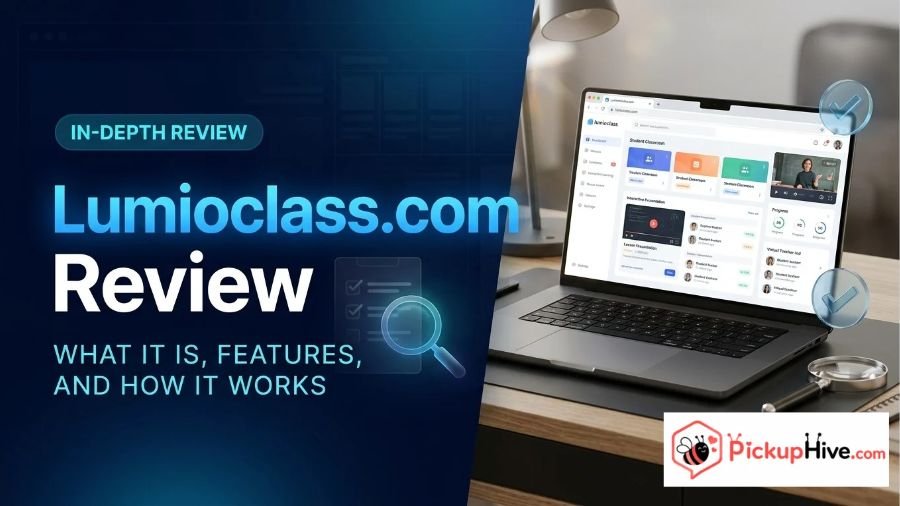
Lumioclass.com is the student access portal for Lumio by SMART, an interactive learning platform developed by SMART Technologies. It allows students to connect with classroom lessons using a class ID, a shared session link, or a SMART Account.
Instead of functioning as a traditional educational blog or independent learning website, the platform provides access to activities and lessons prepared by teachers. Students can follow classroom presentations, complete interactive exercises, participate in games, and work through assessments.
This review explores what Lumioclass.com offers, how students can join a class, whether an account is necessary, and what users should understand about its pricing, privacy, and legitimacy before using the platform.
What Is Lumioclass.com?
Lumioclass.com is the student-facing entry point for Lumio, an educational technology platform from SMART Technologies. Its primary purpose is to help students connect to digital lessons created and delivered by their teachers.
The domain became the designated student joining address after SMART Technologies transitioned from the previous hellosmart.com address to lumioclass.com. SMART announced this change in its January 15, 2025, product update. The company also confirmed that existing class session links and the previous address would continue working.
This distinction is important because some online descriptions make Lumioclass.com sound like an independent education company or a separate learning application. The available official documentation identifies it as part of the broader Lumio platform.
Lumio supports interactive teaching experiences through activities, games, collaborative workspaces, and formative assessments. Teachers prepare the lessons, while students use the student portal to access and participate in them.
Official information is available through the Lumio website and its student support documentation.
How Does Lumioclass.com Work?
The platform follows a teacher-led classroom model. Students generally cannot enter a random classroom and browse available lessons. They need access information provided by their teacher.
The joining process is relatively straightforward.
- Open lumioclass.com in a supported web browser.
- Choose the available sign-in or guest access option.
- Enter the class ID provided by the teacher if joining a new class.
- Provide the requested display name when joining as a guest.
- Select the option to join the class.
- Follow the lesson once the teacher starts the session.
If the teacher has already started the lesson, students can access it on their devices. If the session has not started, they may see a student lobby while waiting.
Teachers can also provide a unique class session URL or QR code, allowing students to connect without manually entering the class ID.
According to SMART’s documentation, students can participate in activities and assessments after joining. The precise activities available depend on the lesson prepared by the teacher.
Main Features of Lumioclass.com
Lumioclass.com provides access to Lumio’s classroom activities rather than operating as a standalone collection of educational courses.
Here are some of the main capabilities associated with the platform.
1. Join Classes Using a Class ID
The class ID is one of the main ways students connect to their teacher’s classroom.
A teacher provides the required ID, and students enter it through the student portal. This helps connect students to the appropriate classroom without requiring them to search for their school or teacher manually.
A class ID must come from the teacher. It is not a public code that students can generate independently.
2. Guest Access
One useful option is the ability to join a class without creating a SMART Account.
Students who do not have a school-provided email address may be able to join as guests. They enter the class ID and provide a display name before connecting.
However, guest access is controlled by the teacher’s classroom settings. If the teacher disables guest access, students must use an approved sign-in method instead.
This flexibility can make classroom participation easier for students who do not have individual school accounts.
3. SMART Account Sign-In
Students can also connect using a SMART Account.
SMART explains that students can use their school email credentials to create an account and sign in. Once signed in, the platform can save their display name and a list of previously joined classes.
This makes returning to a classroom easier because students may not need to enter the same information every time.
Signed-in students may also access lessons outside regular classroom sessions when their teacher shares an appropriate session link.
4. Interactive Classroom Activities
Lumio supports different interactive learning activities.
Depending on the teacher’s lesson, students may participate in:
- Interactive games
- Formative assessments
- Collaborative workspaces
- Classroom exercises
- Question-and-answer activities
- Interactive lesson presentations
These activities allow students to do more than simply watch a presentation.
For example, a teacher might create an activity where students arrange items, answer questions, or collaborate on a shared workspace.
The available activities depend on the teacher’s content and the features enabled within Lumio.
5. Participation in Assessments
Students can complete assessments included in their teacher’s lessons.
These activities help teachers gather information about student understanding during a lesson. Certain activities also support the review of student responses and results.
SMART has documented features that allow teachers to export student results from selected activities through its Activity Dashboard.
It is important to understand that Lumioclass.com is the student access point. Assessment creation, lesson management, and broader classroom administration are primarily handled through the teacher-facing Lumio environment.
6. Access Through Shared Links and QR Codes
Students do not always need to enter a class ID manually.
Teachers can create a unique URL or QR code that students can use to connect to a classroom. This provides another joining option, particularly when a teacher wants the entire class to access the same session.
These options can reduce mistakes when entering class information.
Does Lumioclass.com Require an Account?
No, a SMART Account is not always required to join a class.
Students have two primary joining options:
| Joining Method | Account Required? | What Is Needed |
|---|---|---|
| Guest access | No | Class ID and display name |
| SMART Account | Yes | Supported school sign-in credentials |
Guest access is useful for students who do not have school-provided email accounts. However, teachers can disable this option.
A SMART Account provides additional convenience because the platform can remember previously joined classes and display names.
Students should follow the sign-in instructions provided by their school or teacher rather than creating accounts through unrelated websites.
For detailed instructions, visit the official Lumio student joining guide.
Is Lumioclass.com Free to Use?
Students can join their teacher’s Lumio lessons without purchasing an individual student license.
SMART’s official pricing information confirms that student sign-ins do not count toward the number of licenses used by an organization.
However, this does not mean that every part of Lumio is completely free.
Lumio offers three main plans:
- Free: Access without a paid subscription, subject to the published storage allowance.
- Standard: A subscription-based plan.
- Spark: A subscription option intended for broader organizational use.
SMART’s documentation states that the free plan supports up to 20 files or sessions combined, counted against a 100 MB allowance. Other features are available under the free plan according to its published terms.
The pricing and purchasing arrangements for paid plans can depend on the subscription type, region, and number of licenses.
For current details, visit the official Lumio pricing page.
The important difference is that students joining lessons and teachers or schools purchasing platform subscriptions are not necessarily subject to the same pricing requirements.
Is Lumioclass.com Legitimate?
The available evidence supports identifying Lumioclass.com as an official student access portal for Lumio by SMART.
Several details support this conclusion.
First, SMART Technologies explicitly identifies lumioclass.com as the address students should use to join classroom lessons.
Second, the company’s official support documentation provides detailed instructions for signing in, joining as a guest, entering a class ID, and leaving a classroom.
Third, SMART’s official product announcements confirm the transition from hellosmart.com to lumioclass.com.
These references establish a clear connection between the domain and SMART’s educational platform.
SMART Technologies also publishes information about Lumio’s features, subscription plans, privacy practices, and support resources.
Based on this official documentation, there is strong evidence that the intended Lumioclass.com service is legitimate and associated with SMART Technologies.
However, users should still make sure they are visiting the exact domain. Similar-looking website addresses should not automatically be treated as official SMART properties.
Is Lumioclass.com Safe for Students?
Lumioclass.com is designed to support classroom participation, but student safety also depends on how schools and teachers configure the platform.
There are several practical considerations.
Teacher-Controlled Classroom Access
Students generally need a class ID, session link, or approved sign-in method to connect to a classroom.
Teachers can also disable guest access when they want students to sign in through their accounts.
This gives educators some control over how students enter their lessons.
Account Information
Students using SMART Accounts may provide identifying information through their school sign-in credentials.
Guest users can join by entering a display name, although the information collected and processed can depend on their interaction with the service.
Students should use only the information requested by their school or teacher.
Follow Official Classroom Instructions
Students should obtain class IDs and session links directly from their teachers.
They should avoid entering school credentials on unrelated websites or following suspicious links claiming to provide access to Lumio.
School and Parent Involvement
Schools and educational organizations should review the platform’s privacy terms and ensure that student access follows applicable school policies and legal requirements.
Parents can also ask their school how student accounts and classroom information are managed.
Overall, the platform has an identifiable educational purpose and published documentation. However, no online platform should be treated as completely risk-free.
Lumioclass.com Privacy Policy: What Information Does SMART Collect?
Privacy is particularly important when a platform is used by students.
SMART publishes a dedicated Lumio Privacy Policy explaining how it handles information associated with the service.
According to this policy, the information collected can vary depending on whether someone uses Lumio as a guest, student, teacher, or administrator.
Examples of information described in the policy include:
- Names and display names
- Email addresses
- SMART account information
- Class names and class IDs
- Student-created content
- Device and browser information
- IP addresses and technical information
- Website navigation and usage information
The policy also explains that SMART uses service providers to support functions such as content storage, account administration, analytics, and technical operations.
SMART states that it does not sell personal data and explains the circumstances in which information may be shared with service providers.
Student Privacy Considerations
SMART’s privacy policy places responsibilities on the customer organization, such as a school or district, when providing student information.
It also explains that customers are responsible for obtaining appropriate consent and authorization for students where required.
For students and parents, this means privacy should not be evaluated solely by looking at the student joining page. The platform’s broader privacy policy and the school’s own data practices also matter.
Users can review the policy for information about data collection, retention, deletion requests, and privacy rights.
Benefits and Limitations of Lumioclass.com
Lumioclass.com serves a specific purpose within the Lumio education platform. Its usefulness depends largely on whether a student’s teacher uses the service.
Benefits
- Straightforward classroom access: Students can join using a class ID or shared session link.
- Guest joining option: An account is not always necessary.
- Interactive learning: Students can participate in games, assessments, and collaborative activities.
- Returning student convenience: SMART Accounts can save previously joined classes.
- Teacher-managed access: Educators can control whether guest access is available.
- Multiple participation options: Students can access lessons through supported sign-in methods.
Limitations
- Teacher-dependent access: Students generally need classroom information supplied by their teacher.
- Guest restrictions: Guest joining may be disabled for individual classes.
- Limited independent use: The portal is not designed as a general website for browsing and selecting courses.
- Account requirements: Some classroom access arrangements require a SMART Account.
- Subscription differences: Teacher and school features may depend on the selected Lumio plan.
- Privacy considerations: Schools should review student data practices and applicable policies.
These points show that the portal is most useful within an organized classroom environment rather than as an independent learning destination.
Lumioclass.com vs. HelloSmart.com: What Is the Difference?
One reason people search for both domain names is that they have been used for the same student classroom joining experience.
SMART Technologies announced that the student joining URL transitioned from hellosmart.com to lumioclass.com.
The company also stated that existing session links and the previous address would continue working.
| Website or Domain | Main Purpose | Important Differences |
|---|---|---|
| lumioclass.com | Student access to Lumio classrooms | Current designated student joining address |
| hellosmart.com | Previous Lumio student joining address | Older address that SMART says continues to work with existing links |
These domains should not be confused with unrelated educational services simply because their names differ.
For the most current joining instructions, students should follow the links provided through SMART’s official documentation.
Lumioclass.com Alternatives
Lumioclass.com is an access portal, so comparing it with other educational platforms requires some context.
The following services offer overlapping classroom or interactive learning capabilities, although they are not necessarily direct replacements for the student joining portal.
Nearpod
Nearpod is an educational platform that helps teachers deliver interactive lessons and classroom activities.
It supports student participation through presentations, assessments, and interactive learning experiences.
It may be relevant to schools looking for another way to deliver engaging digital lessons.
Pear Deck
Pear Deck provides interactive presentation tools designed to encourage student participation.
Teachers can incorporate questions and activities into presentations, allowing students to respond during lessons.
Its classroom presentation approach overlaps with some of Lumio’s interactive teaching capabilities.
Kami
Kami focuses on digital learning and document-based classroom collaboration.
Teachers and students can work with educational documents and use tools designed to support classroom assignments and collaboration.
It may be useful for schools that place greater emphasis on digital worksheets and document interaction.
These platforms have different product features, pricing structures, and integrations. Schools should compare their requirements before selecting an alternative.
Frequently Asked Questions About Lumioclass.com
1. What is Lumioclass.com used for?
Lumioclass.com is used by students to join interactive classroom lessons delivered through Lumio by SMART. Students can connect using a class ID, shared link, or SMART Account.
2. How do I join a class on Lumioclass.com?
Open lumioclass.com, choose the available joining method, and enter the class ID provided by your teacher if required. Follow the instructions to join as a guest or sign in with your SMART Account.
3. Can I use Lumioclass.com without an account?
Yes. Students may join as guests if their teacher allows guest access. They generally need a class ID and a display name.
4. Is Lumioclass.com free?
Students do not need individual Lumio licenses to join classroom lessons. However, teachers and schools may use free or paid Lumio subscription plans.
5. Is Lumioclass.com the same as HelloSmart.com?
Both addresses have been used for Lumio student classroom access. SMART announced lumioclass.com as the new student joining address while confirming that existing hellosmart.com links would continue working.
6. Is Lumioclass.com safe for children?
The platform is designed for educational use and has published privacy documentation. However, schools and parents should review its information-handling practices and ensure that students access classrooms through official teacher-provided links.
7. Who operates Lumioclass.com?
Lumioclass.com is associated with Lumio by SMART, an educational technology platform developed by SMART Technologies. Its official support documentation identifies the domain as the student classroom joining portal.
Conclusion
Lumioclass.com is the official student access address for Lumio by SMART, an interactive educational platform developed by SMART Technologies. Its primary purpose is to connect students with teacher-led lessons through class IDs, shared links, and SMART Accounts.
The platform supports classroom activities, games, collaborative workspaces, and assessments. Guest access also provides a convenient joining option when teachers allow it. Students do not need individual paid licenses to participate in lessons, although teachers and schools may use different subscription plans.
SMART’s official documentation provides useful information about the service, including its features, pricing arrangements, and privacy practices. Schools and parents should still review student data policies and classroom access settings before use.
Overall, Lumioclass.com serves a clearly defined educational purpose. It is best understood as a student classroom portal within the broader Lumio platform, not as an independent website offering courses or unrestricted educational resources.

Hi, I’m Mason Brooks, a creative author at PickupHive.com where I write romantic pickup lines and engaging dating content for readers around the world.